Essential SAT & ACT tools for counselors
Spending too much time reviewing your students' test prep progress? Incublia takes care of test prep and gives you a dashboard that's easy to track!
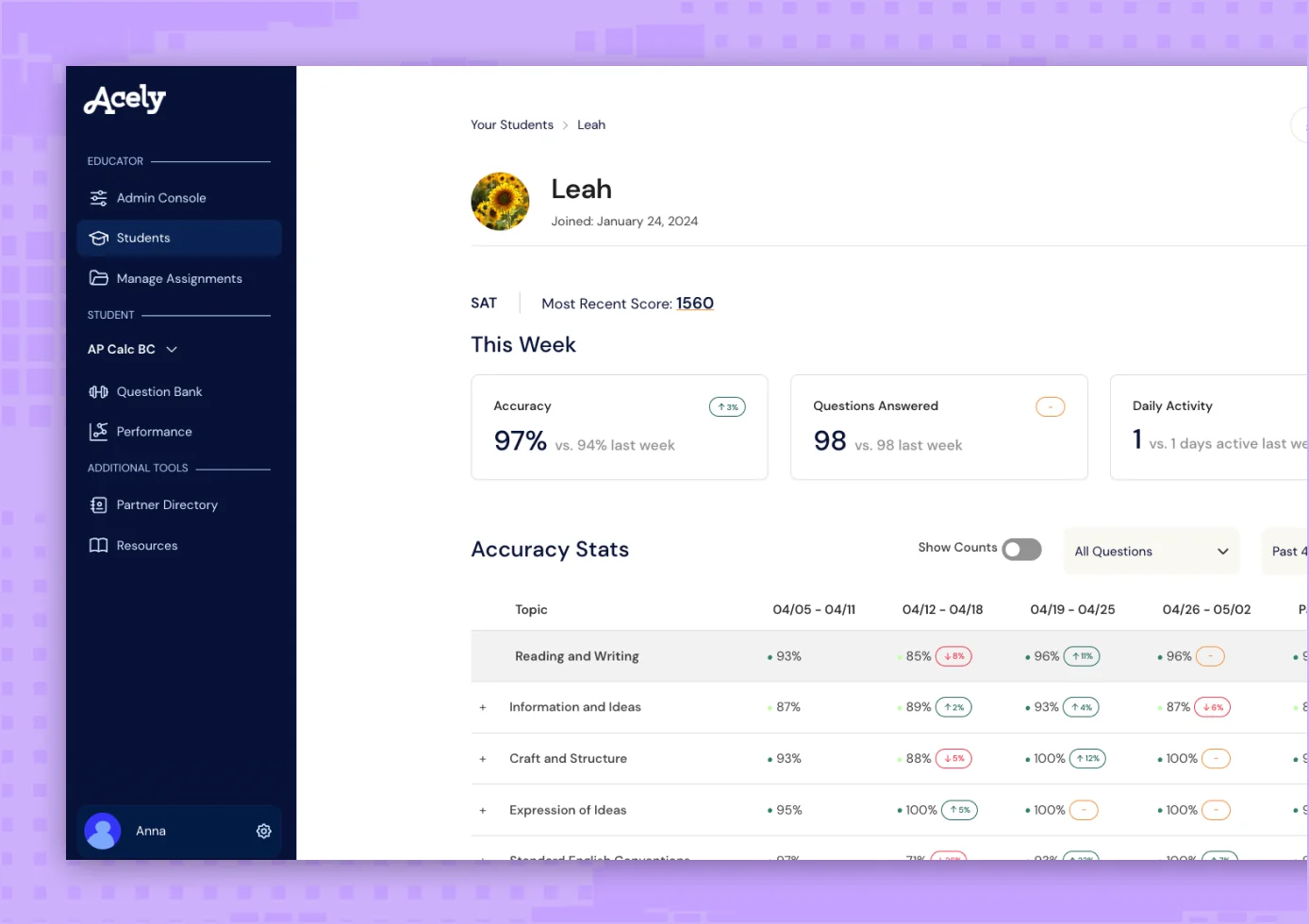
Featured designed for educators
Spend less time on test prep and more time making sure your students submit a well-rounded college application that includes a great SAT or ACT score! Incublia makes your counseling business more efficient and effective.
Track Daily Activity
Quickly see which days a student has logged on to complete work on Incublia and how many questions they completed in their session.
Assign SAT Question Sets
If you're more hands on with test prep, you can create an assignment to target granular focus areas, such as "Special Right Triangles."
Manage Student and Tutor Seats
Manage your Incublia organization by changing your seat count, inviting new students to join, removing access or adding seats for tutors who work with your students.
View Projected Scores
Students can take 30 full-length practice digital SATs or 20 full-length practice ACTs on Incublia's platform. Counselors can see their projected scores over time.
View Score Reports
See a detailed view of which questions they missed, time spent per question, and pacing insights.
Track Topic Accuracy
See in depth reports on the number of questions students practice on Incublia and the breakdown of their accuracy by subdomain.
Focus on coaching. We handle the analytics.
Spend your time where it matters. Incublia delivers all the performance insights—from practice mode to practice tests—so you're always prepared for your 1:1 session.

50 ACT & SAT practice tests with in-depth score reports
With Incublia's full-length practice tests, your students will never run out of study material. Pair Incublia's tests with the Bluebook tests or the ACT practice tests, and your students will be prepared for test day.
- In-depth score report with insights on pacing and accuracy
- Take the optional ACT Science section
- Take a full-length practice ACT or SAT exam or one section

Assign SAT question sets
Create custom SAT assignments where you can handpick questions from Incublia's question bank. Assign curated question sets focused on "Hard Circle" questions or another subtopic.

Set goals hold students accountable
Not sure if your student is actually completing their SAT or ACT studying? Track daily usage with our quick activity monitor.
“Incublia makes it easy to track our students' data, assign problems, and build their confidence.”
Our students have been seeing results FAST and gotten a ton of scholarships from raising their SAT & ACT score through using Incublia.
Cutting-edge features for your students
Incublia's extensive features for the digital SAT and ACT give your students 24/7 support when they aren't meeting with you 1:1 for counseling.
Thousands of Curated Practice Questions
Incublia's 14,000 SAT & ACT questions are crafted by Incublia's curriculum team and assisted by our AI workflows.
Full-length Practice Tests
Incublia has 50 SAT and ACT practice tests so students can get used to test conditions and pacing before test day.
Personalized Study Plans
Incublia creates a custom SAT or ACT study plan that dynamically updates as they practice on the platform.
AI Hints & Explanations
When your students are not working with you 1:1, they can ask the AI tutor for help to get unstuck.
Review Your Mistakes
Incublia consolidates all of a students missed questions in one place so it's easy to review and correct errors.
Accurate Score Predictions
On average, Incublia students practice tests scores are +/- 20 points from the official exam.
Progress Tracking
Incublia's dashboard makes it easy for students to see their strengths and weaknesses in each section.
Resource Library
Incublia offers 50+ guides covering test prep, college admissions, interview tips and more.
Always Available
Students can do Incublia practice problems on their phone between extracurricular activities or late night.
Let's connect!
Fill out our form to schedule an Incublia demo with one of our Partnerships Advisors.
Step 1: Demo
Get a live demo of Incublia's Educator Dashboard to see all of the features!
Step 2: Account setup
A Partnerships Advisor will set up your Educator Admin account.
Step 3: Invite students
You can now start sending invites to students to join your organization on Incublia!
FAQs
Learn more below, or schedule a call for more in-depth answers.